
Shopify
Infinite Audience brings identity resolution and enrichment into Shopify, so commerce teams can work with richer customer profiles without exporting lists back and forth.
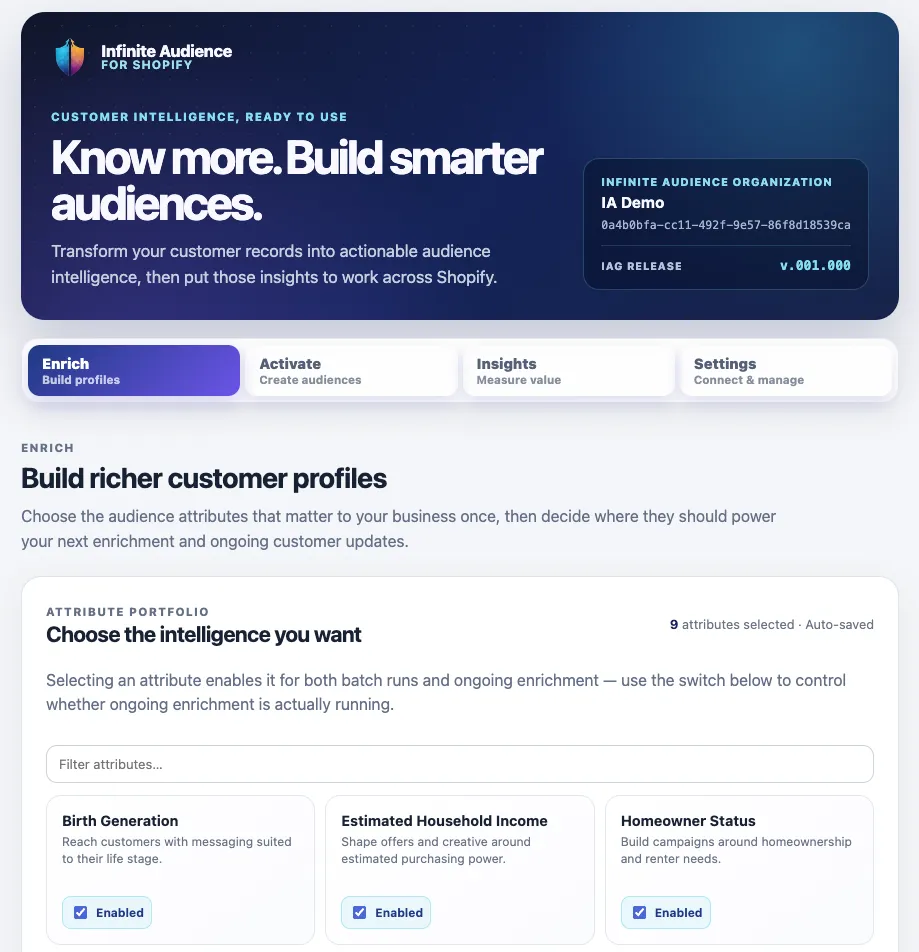
Connect your store
Section titled “Connect your store”- Open the Infinite Audience install link for your store.
- Connect an existing Infinite Audience organization or create one for the store.
- Choose a Shopify plan and approve it through Shopify billing.
- Select the customers and approved enrichment fields you want to use.
- Preview your reach and what the run can cost, then start enrichment.
See the cost before you commit
Section titled “See the cost before you commit”Preview any run before it starts. You will see how many customer profiles are in reach, how many are new to us versus customers you already own, the most the run can cost, and where it is billed. Nothing begins until you say so.
The first run over a store is the one that does the work — we are meeting those customers for the first time. After that, the same customers come back enriched without buying them again, which is why later runs usually land well under the maximum you were shown.
Your workspace also shows what you have used this billing cycle and when it renews, so the maximum for a run always sits next to where you already stand. Shopify plans do not carry a spending cap for usage like this, which is exactly why the preview and the confirm step are the control.
Results are written back as approved customer metafields. The app intentionally excludes sensitive categories, exact birth dates, precise location, and raw household details.
Put enriched profiles to work
Section titled “Put enriched profiles to work”Use field distributions to understand the matched customer base, create a native Shopify customer segment, or add a clear ia- tag to matching customers. These Shopify-native segments and tags remain under merchant control.
Optional continuous enrichment can respond to relevant customer-profile changes and write back updated results.
Billing and privacy
Section titled “Billing and privacy”Shopify enrichment uses Shopify App Pricing and appears in Shopify’s billing surfaces. Direct Infinite Audience platform or API usage is billed separately under that account’s agreement.
Only the customer identity data needed for matching is processed. App-owned customer artifacts are removed in response to Shopify privacy webhooks within Shopify’s required window; merchant-owned segments and tags remain in Shopify.